How it Works
AI & ML
What You'll Receive
Blogs
FAQs
Media
LOG IN
< Back to Home
Watch the video below on how to get started:
We recommend completing the process on a desktop computer/PC if you have access to one.
Take me to the Joint Effort Second Opinion Login Portal →
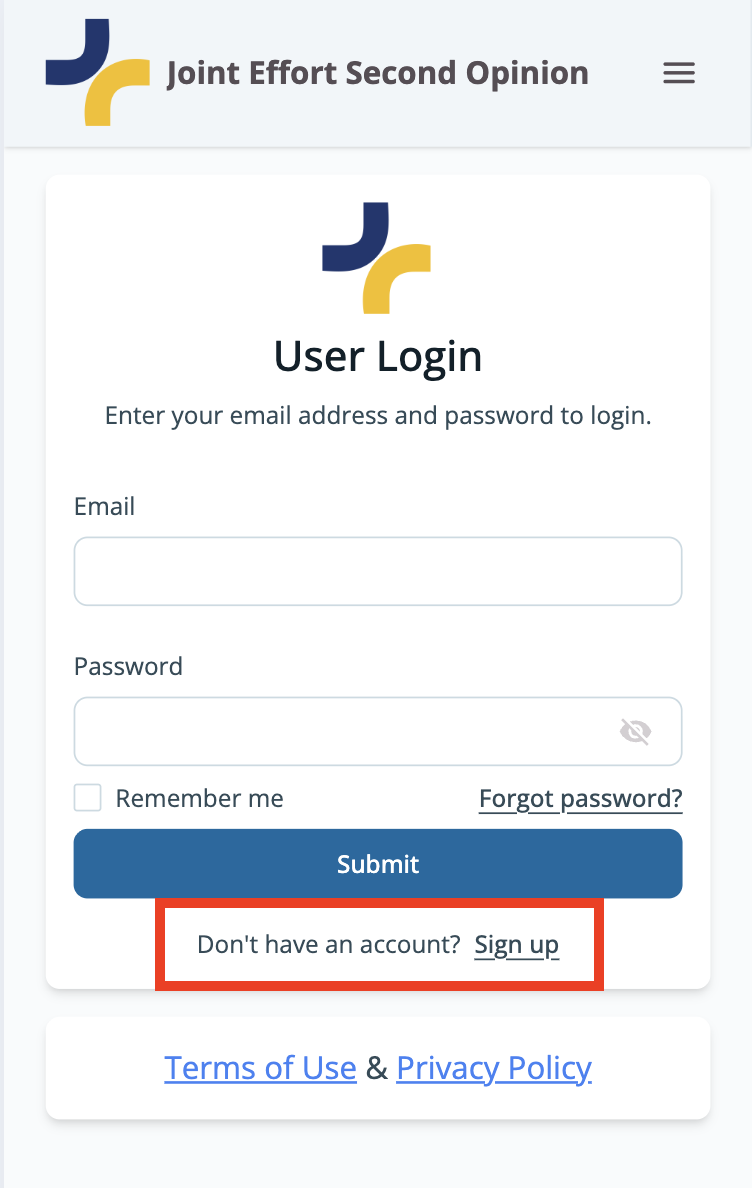
Step by step visual guide on how to sign up on a mobile device:
1. As a first time user, click "Sign Up" in the red box to access the sign up form
2. Enter all necessary information and consent to the terms of use, privacy policy, digital communication and data processing.
3. Return to log in page and log in with the email and password you just signed up with.
4. Once you are signed in you may start your evaluation.
5. If you are stuck or have any questions, a secure messaging chat box is at the bottom of the page for you to reach out.